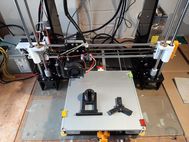
How to Make an RC Plane with a Creality Ender-5 S1 3d Printer
The Creality Ender-5 S1 is a good high-speed printer with the option to enclose the printer for materials like ABS. Here in the UK, the cost of shipping ARTF(almost ready-to-fly) model aircraft has become very expensive, sometimes more than the model. 3d Printing your own is one way to avoid the costs and opens the door to some great model designs that cost very little or nothing at all.
Is 3d printing an RC aeroplane hard?
No, not in my opinion. If you choose the right printer and a well-designed model, it can be quite easy. In this article, I’ll explain how I went from unboxing to printing in just over an hour. I haven’t made any modifications to the Creality Ender-5 S1, just levelled the bed as per the instructions, and I was printing shortly after the assembly.
Creality sent me the printer to review at no charge, and after some discussion, I agreed to make this article showing how to print a 3d model aeroplane. This review is purely my own experience, and they have had no input.
Why use a 3d printer for RC Models?
Well, as I’ve mentioned, in the UK we can avoid shipping costs, but that isn’t the only reason. There are some really cool designs now that would be quite hard to make with traditional methods. Just take a look at Eclipson, 3D Lab Print, and Plane Print, to name a few, and you can see some very interesting-looking models.

3d printed models are not as tough as foam models, so if you are just starting in RC flying, get your wings first with a foam trainer and then try a 3d printed model. If you do crash your 3d printed model, then you have your own spares department just for the cost of some filament.
The other big advantage is that you can print many parts for your foam or balsa models. I lost the spinner for my Focke Wulf 190A and couldn’t get hold of one easily, so I designed and printed one.


UK shipping costs for RC Models
In the UK, shipping costs from places like HobbyKing are very high. In the example below, the shipping is more than the model. It’s possible to get an extra charge to release from customs as well. A good friend of mine has had this happen to him, making the model even more expensive.

Using a 3d printer like the Creality Ender-5 S1 is a great way to get some awesome-looking models that fly really well and beat the shipping costs.
There are some great designs available, and if you are handy with 3d modelling, you can design your own or modify an existing one to suit your needs.
It could be argued that buying a 3d printer is expensive, but once you make a few RC models, it pays for itself in no time. Using the Ender-5 S1 is a very good option in my opinion, the prints are of great quality and quicker than the models I’ve made previously with my CR10-V2.
Creailty Ender-5 S1
The printer uses the new “Sprite” dual-gear direct drive extruder, which is an all-metal hot end which can print up to 300 degrees Celsius. So this should be good for materials like ABS. I have printed ABS before on my CR10-V2, but my results were mixed. Some were OK, but others were very warped. You can purchase acrylic sides and a door, which helps keep the heat in the printer. I have these on order. If ABS cools too fast, then wrapping can occur.

I have 3d printed some radio-controlled models already, and the printing time can be quite long. The Ender-5 S1 took 36 hours to print the FPV Grom, which was much quicker than it was than my CR10-V2, which would have taken 52 hours
The CR10-V2 heated bed moves backwards and forwards in the Y direction. This can limit the speed of the printer because the bed is quite heavy, and it can cause poor prints if you try to run it too fast. 50mm/sec was my usual setting.
 Ender-5 S1 bed fixed in X and Y direction
 CR-10 V2 Bed Slinger
The Ender-5 S1, on the other hand, keeps the bed fixed in the X and Y direction and just moves down for each layer in the Z direction with the extruder moving in the X and Y direction. The extruder is much lighter than the heated bed, so we can increase the speed and still get good prints. So far, I have run it at 120mm/sec, and the prints are excellent and take almost half the time. According to Creality, it will print at 250mm/sec. I will try faster speeds in the future.
For safety reasons, I don’t like to leave prints running overnight or if I’m not in the house. So the faster printing speeds mean I can monitor the prints during the day, and they will be finished in a reasonable time. I may be over-cautious, but better than having regrets.
Creality Ender-5 S1 Assembly
The printer does require some assembly, but it is very straightforward with good instructions. I had it up and running in a little over an hour.
The assembly would have been quicker if I had got the number 2 and 3 uprights in the right position. Put that down to a senior moment, even though I read the instructions.


Test Prints
I printed the pre-sliced rabbit from the Creality website for the Ender-5 S1 as the first print. This would ensure that the printer works as expected. If I had sliced the model myself, and there were issues, then it could be down to a setting I introduced. As you can see, it printed perfectly, and my granddaughter was very happy with it.


So now the test prints are good I can start printing the Grom.
Using the Ender-5 S1
I wanted to use this as a newbie, so although I have been printing for a few years now, I made no changes to anything on the printer and used it as Creality has supplied it.
The touchscreen user interface is very easy to use, and there is a confirmation beep on selection. Some reviewers have said the machine is a bit noisy, but my machine is in the workshop and I don’t find it noisy.


The bed levelling works as expected, and every print started with a good first layer. All the parts for the Grom were printed without any issues. I did print a wing section twice by mistake, but I have a spare now.

Removing parts from the flexible magnetic bed needed a little care because they stick very well. The main parts are printed with 0% infill. But with some flexing of the removable sheet, they came off fine.
I’ve been very impressed with the Creality Ender-5 S1 and would highly recommend it for its speed, accuracy and ease of use.
Long Term Review
The Ender-5 S1 is a great printer as of September 2025. I’ve had it for over 2 years. I purchased the enclosure to print filaments like ABS. The printer has been 100% reliable with very few failed prints. The failed prints I did have were usually a user setting error.
3d Printed FPV Grom Plank Flying Wing
Why the FPV Grom? Well, it just looks cool and flies very fast on modest hardware. 3D-printed RC planes are fairly new to the hobby and are getting better all the time. There are some exciting designs to suit all tastes.
Printing Costs
The Grom is printed with PLA+ and a few PETG parts. PLA is much easier to print, and this makes it an ideal starter model if you are new to 3d printing. Mine printed without any issues and looked very good in eSun Red PLA+, which cost about £20 for a 1 kg roll. The Grom only needs 600 grams so there is plenty left over.
The FPV Grom is very similar to the Strix Goblin. This can be hard to find at a reasonable cost due to shipping. In the UK, it can be over £170. The files for the Grom are only £18 and are best printed with PLA+.
The Grom files can be obtained from here. There are free 3D-printed planes if you want to test one without too much expense. A quick search on Google will show several.
FPV Grom parts printed
All the parts were printed without any issues using the recommended settings. I chose to use white PLA+ for the wing tips to enhance the look. There was a little stringing on some parts, but I put this down to printing at the higher temperature as recommended in the build instructions. Increasing the retraction from 0.8 to 1.2mm removed the stringing almost completely. The small wisps left are easily removed with hot air.


The motor mount was printed in PETG filament which has better for components that get hot. This printed fine and feels very strong.

The brushless motor is the Emax ECO II 2807 with a HobbyWing 40-amp speed controller. I’m also going to install the Matek 405 Wing flight controller with GPS and FPV camera. It will be running iNav on the controller which has a good auto-launch feature.
Assembling the FPV Grom
I was impressed with how well all the parts fit. So the accuracy of the Ender-5 S1 is very good. The 8mm carbon tube slid inside the wings perfectly.


The assembly was very easy thanks to the accurate fit of the parts from the Ender-5 S1. The wing looks to have a depression in the middle section but the camera lighting made this look so. In the next image, you can see it’s barely noticeable.

Video of the build and Maiden Flight

The maiden flight was interesting, to say the least, but now, after some tweaking of the iNav settings and attaching the ailerons better, it’s so easy to launch. The video below shows how I got there in the end. One of the main issues was too much throttle, which induced torque roll. It only needs around 55% now with auto-launch.

Summary
So, is 3d printing a radio-controlled plane with a 3d printer a viable option to beat UK shipping costs?
Personally, I think so if you can already fly, but not for a beginner in the RC hobby. You will have some heavy landings or maybe a crash while learning to fly. But once you can fly, 3d printing opens up some amazing models to build. The satisfaction you get from flying something you’ve built is very rewarding. I still get a buzz from it after 20 years of flying.
I’ve been very impressed with the Creality Ender-5 S1 and have no hesitation in recommending it as a plug-and-play printer. It just works, and a beginner just starting out in 3d printing should have no problems producing good quality, accurate parts.
I hope you found this article useful, and if you have any questions or comments, please feel free to contact me.