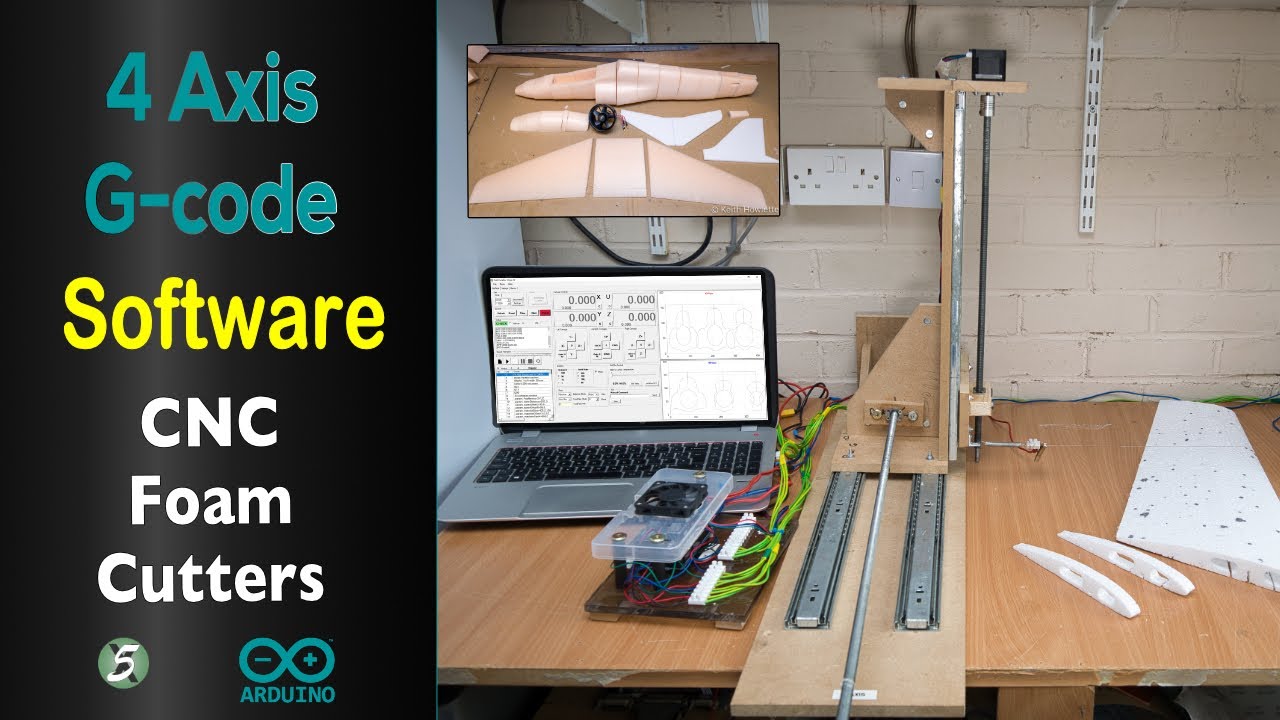
G-code generation software for CNC foam cutter
You’ve built your 4-axis CNC foam cutter, and now you need software to generate G-code for your foam wings or fuselage. If your budget allows, purchasing software might be the best option. DevWing Foam 2 and DevFus Foam are excellent choices—I use them for all my projects. You can find tutorials on these programs both here on this site and my YouTube channel.

What software is available?
The list below highlights software capable of generating 4-axis G-code. While I’ve used most of these programs, there are a few I haven’t. I’ll share my thoughts on each to help you decide which suits your needs best.
If you’re planning to build a CNC foam cutter, it’s crucial to consider how you’ll generate the G-code beforehand. I’ve seen several builders create fantastic machines, only to face disappointment and frustration when free software fails to meet their design requirements. So, make sure to check this aspect early in the process.
| Software | Cost in Euros | Notes | Tested on FoamCutter |
|---|---|---|---|
| CNC Wire cutter Wings in Gcode | Free | Yes | |
| WingWire | Free | No | |
| Wing Designer | Free | Yes | |
| Jedicut | Free | Yes | |
| DevWing Foam 2 | 175 Lifetime, 70 for 1 year | trial available | Yes |
| DevFus Foam | 135 Lifetime, 50 for 1 year | trial available | Yes |
| DevFoam Pro | 195 Lifetime, 75 for 1 year | trial available | No |
| DevSim Foam | Free | Yes | |
| Gemini Aero Foam | 40 Lifetime | No | |
| WingHelper | 70 | Free for 1 week | No |
| Wing Designer 4 Hotwire | Free | No | |
| GrblGru | Free | No |
Which is the best
If you can afford DevWing Foam 2, I believe it’s the best option. Some free alternatives are also good. Recently, some new G-code generators have come to my attention: Wing Designer 4 Hotwire, Gemini Aero Cutter and WingHelper. I haven’t used of them for any projects. These are more affordable than DevWing Foam but don’t offer as many features.
If you’re new to CNC foam cutting, I recommend starting with Wing Designer, as it’s very easy to use. Once you gain more experience and require additional features, you can upgrade to one of the paid options. I use DevWing Foam and DevFus Foam for all my projects. Since I no longer buy RC models, the cost is justified. Building and flying something you’ve designed is far more rewarding in my opinion.
Let’s go over each software option and its capabilities, including:
- Supported aerofoil formats
- Kerf settings
- Wing spars
- Aileron cutting
- Wash-out on tip profiles
- Dihedral
- Trailing edge thickness
- Rotating planforms for highly swept wings
- G93 Feed Mode, which is especially useful for swept wings and when the root is significantly larger than the tip profile
See the comparison charts below for a detailed breakdown.
What are DAT files?
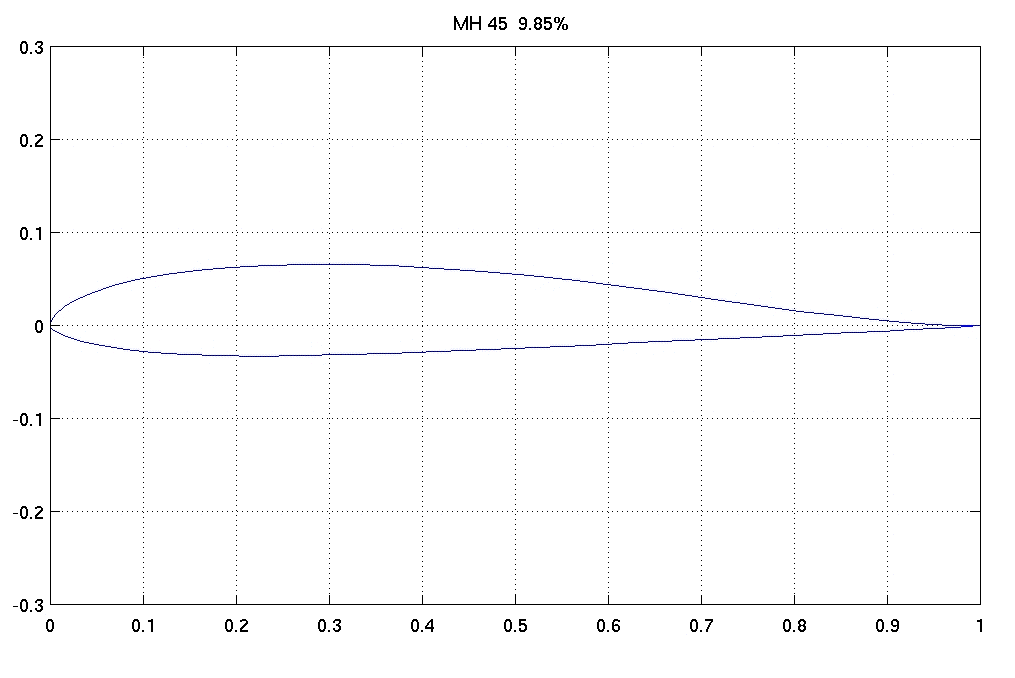
All the software mentioned here uses a file format called DAT or Selig format, which represents the coordinates of a wing profile as values ranging from 0 to 1. For example, the image above shows an MH45 aerofoil, commonly used in flying wings. There are plenty of free sources for DAT files; one of the main ones is this database.
DevWing Foam 2 includes a large database of aerofoils, which can be expanded by downloading files from the site above. Additionally, it allows you to use an image or a DXF file to create the wing plan.
Wing G-code Generator
A very easy-to-use g-code generator from http://swarfer.co.za/rc/wire/index.php uses XYUV axis letters. It’s quite easy to change with a text editor. This was the one I started with many years ago and it’s still very capable.

David also developed a Python script that has more options. I’ve updated David’s script to work with Python3 and some modifications for GRBL. It can use several axis letter variations. You will need to install Python3 which is available on all Operating Systems or Download the Executable for Windows.
You can install Python3 from here and download the code from the link below. Don’t install it from the Windows App Store it hides some of the install options. There is an option to add Python3 to the PATH so the script below will work by clicking on it.

Wing G-Code (Python3 script) 33.38 KB 1618 downloads
This script requires Python3 which you can find here https://www.python.org/downloads/ I…
Wing G-Code (Windows 64bit Executable) 11.92 MB 4051 downloads
This is the Windows Executable version of the Wing G-Code Python script. Just…
It will also work with LinuxCNC from the Axis interface.
As you can see from the image above the software has an option for wash-out, trailing edge thickness. There are no options for spars, ailerons or setting the kerf(amount allowed for melted foam). However, these limitations are only minor. The Kerf value can be accounted for by slightly increasing the size of the root and tip chord. I generally use a 2 mm kerf on my wings. Adding a spare hole is quite easy with a Dremel and a tiling attachment. Have a look at my video here to see how easy it is and it does an excellent job.
WingWire 4-axis g-code freeware

I have used this software briefly. Dominik Schuler the guy that developed also built his foam cutter using mostly 3d printed parts which are all available on Thingiverse. https://www.thingiverse.com/thing:3676825
Dominik’s software is good with a few limitations such as spars and an aileron cut.
As Dominik has said there isn’t much free software for foam cutters out there so he wrote his own, he is clever guy, here’s the link on RCGroups https://www.rcgroups.com/forums/showpost.php?p=43256201
Wing Designer for 4-axis CNC foam cutter
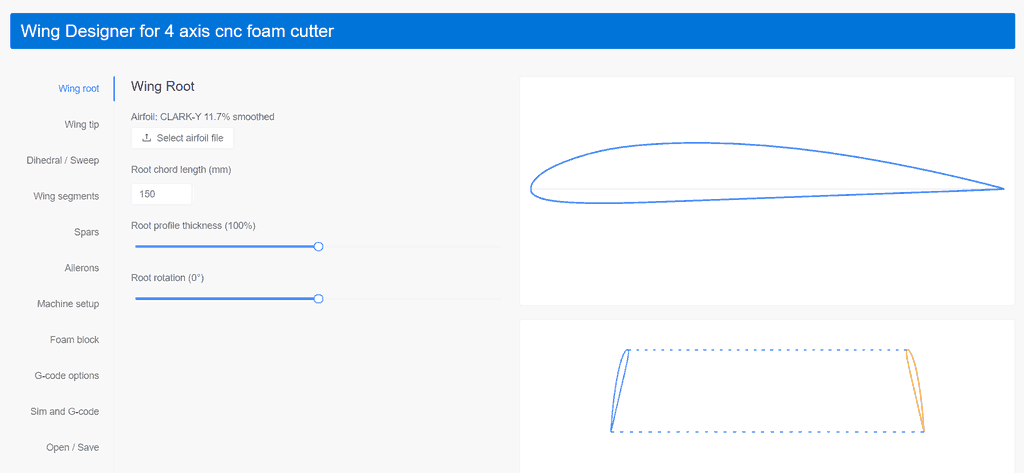
This software runs online and is very impressive at http://www.diyrcwings.com/app/ it includes options for spars, dihedral and ailerons. Its only limitation seems to be no option for kerf value but as with Wing G-code generator, you just need to add a little to the root and tip sizes to account for that.
Djordje Mijailovic has developed this software and he runs it on LinuxCNC. You can change the machine parameters so that it will work on the GRBL Mega 5X Hotwire. I’ve run some test cuts and it works well.
Jedicut

JediCut is French software and a few English translations are missing. I don’t use Jedicut myself and only run a few tests with it. If you want to use Jedicut then check my post here on how to set up Jedicut to use it with the GRBL HotWireApplication
For a free program, it’s OK but it does need time to learn. If you are a French speaker then should be a bit easier. The Kerf values can be adjusted by the Skin Property. There doesn’t seem to be an option for dihedral.
The g-code generated by Jedicut uses Incremental mode G91 so it can look a little strange when you see very small numbers in the xyza axis. I’ve had a few guys contact me about that.
G1 X0.0521 Y0.2761 A-0.0069 Z-0.0123
G1 X0.1738 Y0.4553 A-0.0156 Z-0.019
G1 X0 Y0.0001 A0 Z0
DevWing Foam 2
DevCad makes this software and a trial version is available. The cost might seem high, but I don’t buy models anymore. I make mine now and this justifies the costs. There is nothing wrong with buying models but for me making and researching the aircraft gives the hobby another dimension. You can make wings for other people and help recover some of the costs.

I have a full video series on using the software on YouTube here
DevWing Foam 2 is a highly comprehensive wing-cutting software with nearly every option you can think of, too many to cover here. It also allows you to generate cut paths for 3-axis routers, enabling the creation of rounded wingtips and ribs, which can be exported to DXF files. I use this feature to build a 3D model of the wing and fuselage.
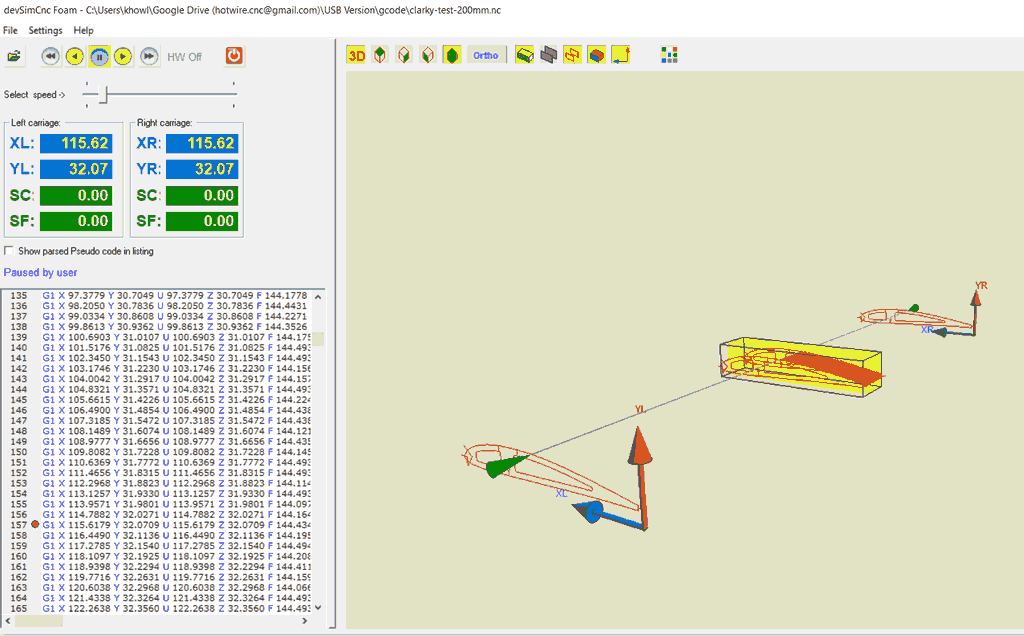
One of the standout features of DevWing Foam 2 is its cutting simulation, which is the best among all the software options mentioned here. It’s incredibly useful to visualise the cutting process before committing to foam.
DevWing Foam 2 is also great for scale models, as it allows you to import an image and, using the outline feature, generate the wing planforms. I demonstrate how to do this in my video here
DevFus Foam 2
This is the companion program to DevWing Foam 2 and is the only program I’ve used to produce g-code for fuselages.

Like DevWing Foam, DevFus Foam 2 requires a license to generate the G-code. However, if you enjoy building models that aren’t readily available, DevFus Foam 2 is a must-have. I have a full instructional video series available here
I’ve had some people ask if it’s possible to use Jedicut with DXF files. While it could technically work if you’re willing to spend a lot of time and foam testing, it’s not ideal. Jedicut doesn’t support all DXF formats, and several users have contacted me because their files wouldn’t load.
In my opinion, you’d quickly become frustrated with Jedicut and likely give up. I’m not sponsored by DevCad, the maker of DevFus Foam—this is simply my honest opinion based on my experience using the software and the results it delivers.
For example, my Hawker Hurricane was built using DevFus Foam, and as you can see, it looks just like a Hurricane and flies fantastic.

DevFoam Pro

DevFoam Pro can generate g-code for many shapes, not just wings and fuselages. You might think this would be better. But DevWing Foam and DevFus Foam have many features especially suited to model aeroplane design. If you primarily want to work with DXF files or use 5-axis foam cutting then DevFoam Pro is a good choice. I don’t use DevFoam Pro because all my needs are covered by DevWing Foam2 and DevFus Foam 2
DevSim CNC Foam (Free)
When you have your g-code generated it’s important to check the code before you waste any foam or possibly damage your machine by running an axis too far.
This tool is very useful and identical to DevCNC Foam, except you can’t run your machine with it. DevCNC Foam needs a license and is very good. Check my post here for more details
Download DevSim CNC Foam here http://www.devcad.com/eng/devsimcncfoam.asp
Gemini AeroFoam
Gemini Aerofoam can import airfoils in DAT and DXF formats. With the DXF format, you can design your wing with a CAD program and export it to DXF. I haven’t used this program on any projects, but it may be ideal if you mainly want to import DXF files. The image below shows a circle and star cut on a 4-axis simulation. It supports G93, Kerf settings, and many more features aimed at CNC foam cutting.

It’s a solid choice for hobbyists looking for a budget-friendly solution, but it might not offer the same depth of functionality as other, more expensive software like DevWing Foam 2 or DevFus Foam 2.
WingHelper
WingHelper looks to be focused on building balsa wings and exporting the designs in DXF format for CNC routers and laser cutters. It also has options to export to 4-axis g-code for foam cutting. I haven’t used this software. It does have a fully functional 1 week trial after which you can’t export to dxf or g-code files.

Wing Designer 4 Hotwire
A free online open source g-code generator that includes several useful features. If you want to contribute to the development the GitHub repository is here https://github.com/druckgott/wingdesigner_4_hotwire

WingDesigner 4 Hotwire is a web-based tool for designing and planning foam wing components for wing models, optimized for hotwire cutting. It supports full export/import of build and machine parameters.
This tool is ideal for:
- Model builders and FPV wing enthusiasts using hotwire cutting on Styrofoam or PU foam.
- Makers operating small CNC hotwire machines who need simple planning of cut elements including machine parameters.
- Projects requiring parametrization, reproducibility, and documentation of project setups.
GrblGru for CNC Foam Cutting
GrblGru was originally designed as a general CNC CAM and simulation program, supporting machines such as routers, mills, lathes, lasers, and 4-axis hot wire foam cutters. It can create toolpaths with Wing Creator, simulate the cutting process, and send G-code directly to compatible CNC controllers.
I haven’t used the program myself for creating wings but it look very capable. If you do use it please give Gary the developer your feedback so he can continue to improve it.

Why use GrblGru for foam cutting?
Many CAM programs are designed for CNC routers and are not suitable for hot wire cutters. GrblGru includes features specifically useful for foam cutting, allowing you to create and check 4-axis cutting paths before cutting your foam.
The built-in 3D simulation is one of its best features. It allows you to watch the hot wire movement and check that the cut will be correct before using any foam.
Controller support
GrblGru works well with GRBL-based CNC controllers. The generated G-code can be used with controllers such as Grbl HotWire, grblHAL, and FluidNC, depending on your machine setup.
For example, you can create the G-code in GrblGru and use GRBL HotWire as the machine controller, giving you features specifically designed for CNC foam cutting.
Advantages
- Free to use
- Excellent 3D simulation
- Supports 4-axis foam cutters
- Generates standard G-code
- Works with many GRBL-based controllers
Is it suitable for beginners?
Although GrblGru has many options because it supports different types of CNC machines, beginners only need to learn the foam cutting features. With a little practice, it provides a powerful free solution for creating and testing CNC foam cutting projects.
G-code generation software comparison – Free
| Wing G-code | Wing Wire | Wing Designer | Jedicut | Wing Designer 4 Hotwire | GrblGru | |
|---|---|---|---|---|---|---|
| DAT Files | Y | Y | Y | Y | Y | Y |
| DXF Import | N | N | N | Y | N | Y |
| Wing plan from image | N | N | N | N1 | N | ? |
| Kerf Settings | N | Y | N | Y | Y | Y |
| Wash-Out | Y | Y | Y | Y | Y | Y |
| Dihedral | N | N | Y | N | Y | Y |
| Spars | N | N | Y | Y | Y | |
| Ailerons | N | N | Y | N | Y | |
| Trailing-Edge Thickness | Y | Y | N | N | N | |
| Lightening Holes | N | N | N | N | N | |
| Rotate Planform | N | N | N | N | N | |
| G93 | N | N | N | N | Y | Y |
| Cutting Simulation | N | N | Y | Y2 | Y | Y |
| Free | Y | Y | Y | Y | Y | Y |
| Windows | Y | Y | Y | Y | Y | Y |
| Mac | Y | Y | Y | N | Y | N |
| Linux | Y | Y | Y | N | Y | N |
In the table below a ? means I’m unsure because I haven’t used this software.
| DevWing Foam2 | DevFoam Pro | Gemini Aero Cutter | WingHelper | |
|---|---|---|---|---|
| DAT Files | Y | Export | Y | Y |
| DXF Import | Y1 | Y | Y | Y |
| Wing plan from image | Y | Y | N | N |
| Kerf Settings | Y | Y | Y | ? |
| Wash-Out | Y | Y 4 | Y | Y |
| Dihedral | Y | Y 4 | Y | Y |
| Spars | Y | Y 4 | Y | Y |
| Ailerons | Y | Y 4 | Y | Y |
| Trailing-Edge Thickness | Y | Y 4 | Y | ? |
| Lightening Holes | Y | Y 4 | Y | Y |
| Rotate Planform | Y | N | Y | ? |
| G93 | Y | Y | Y | ? |
| Cutting Simulation | Y | Y | Y | ? |
| Free | N 3 | N 3 | N | N |
| Windows | Y | Y | Y | Y |
| Mac | N | N | N | Y |
| Linux | N | N | N | Y |
1 – Jedicut won’t work with all DXF formats see my post here explaining the issues. DevWing Foam will import a DXF file to use as the wing planform
2 – You can use DevSim Foam to preview the cutting of all of the software here except Jedicut which has its own.
3 – Trial available see the DevCad forum for details https://devcad.forumfree.it/?t=78966499
4 – DevFoam Pro can create this but you need to design it and control how the g-code path is generated.
G93 is a feed mode that can help when the root and tip aerofoils are much different in size. DevCad software uses this as the default for all G-code. It does make the foam cuts more consistent.
So which one should I choose?
The first thing to ask yourself is: What do I want to make?
If your design is a simple wing then any of the free options will work well. I recommend Wing Designer for 4-axis CNC foam cutter or Wing Designer 4 Hotwire which are online and very easy to use.
Once your designs progress and you need more advanced features then DevWing Foam2 has every option covered. But if your budget can’t afford that then Gemini AeroFoam is a good alternative with not quite as many features.
Please note that these are just my personal opinions based on experience, and your preferences may differ. Be sure to do your research and use trial versions where available to find what works best for you.
I hope this helps you find the right tools for your projects!
Happy Foam cutting