
6 Solutions for Mach3 Obsolete Parallel Port Interface

The parallel port has been discontinued on PCs for many years now. It was mainly used to connect a PC to a printer. Mach3 was designed to use this port to send step and direction pulses to the CNC controller and receive inputs such as limit switches. Mach3 is still popular in the CNC world, even though there is a newer, more modern version: Mach4.
So if you need a solution so you can still use Mach3, then this article lists 6 possible options. Many Chinese sellers include Mach3 with their CNC controllers that use the DB25 parallel port.
Mach3 Software
Mach3 is CNC control software that effectively turns a Windows 32-bit computer into a machine controller. It interprets G-code and drives stepper motors via the computer’s parallel port. This setup was revolutionary at the time, but it comes with some important limitations today.
- Platform Compatibility
Mach3 only natively supports 32-bit Windows systems up to Windows 7 when using the built-in parallel port driver. This driver controls the timing of stepper motor pulses. While it’s possible to run Mach3 on newer systems — including Windows 10 64-bit — this requires specialised external motion controllers or hardware adapters. - Advancing Technologies
Over time, two key things have changed:- Parallel ports have become obsolete, replaced by USB, Ethernet, and dedicated motion controllers.
- The Windows codebase has evolved, making it difficult to use the original Mach3 parallel port driver reliably on newer systems.
- Timing Considerations
Windows is not a real-time operating system (RTOS). This means other tasks running in the background can interrupt the CPU at critical moments. When that happens, the precise timing of Mach3’s step pulses can be disrupted, which is especially noticeable at higher feed rates or when the system is under load. - Tips for Reliable Operation
If you do use Mach3 with a parallel port driver:- Dedicate a separate PC solely to Mach3.
- Avoid internet connections and disable antivirus software to minimise interruptions.
- Disable unnecessary Windows services to reduce CPU load.
- Consider using an external motion controller (such as SmoothStepper or UC100) to offload pulse generation from the PC to dedicated hardware.
Even though Mach3 is an older software and has not received updates for several years, it remains a powerful and feature-rich solution when set up correctly.
“Mach3 will run on any Windows OS from Windows 2000 through Windows 8. The parallel port driver included with Mach3 will only work with 32-bit DESKTOP computers with versions of Windows 2000 through Windows 7, but will not work with any 64-bit version of Windows or with Windows 8. Windows 8 and 64-bit versions require an external motion device, which can be purchased very reasonably.”
The 6 solutions
1 – Use an old desktop PC with a parallel port
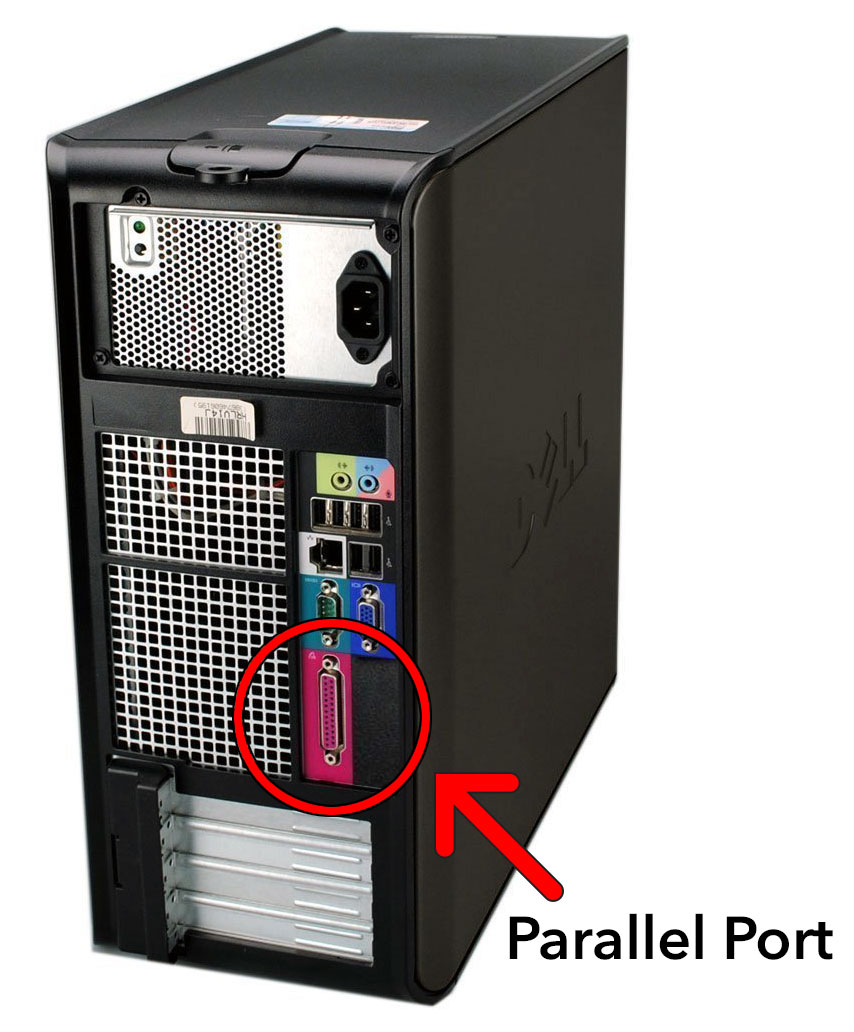
This is probably the cheapest option and one that’s known to work. I had several old Dell desktops donated by friends and family running Windows XP 32-bit with 2GB of RAM. Mach3 only needs 512MB. Just plug in the DB-25 cable, and that’s it. I ran it for many years like this. You can pick up an old desktop on eBay for around £50/$70, and this running Windows XP or Windows 7 32-bit with 2GB of RAM will be fine for Mach3.

Here’s the TB6560 4-axis controller I used with the parallel cable attached and then hooked up to my Dell desktop. I’ve found Dell desktops to be very good as a CNC controller, and you can still find drivers for them on the Dell website. I’ve made several wings and fuselages with it and also used it on my CNC router with a different configuration file.

2 – Use a newer desktop PC with a parallel port add-on card
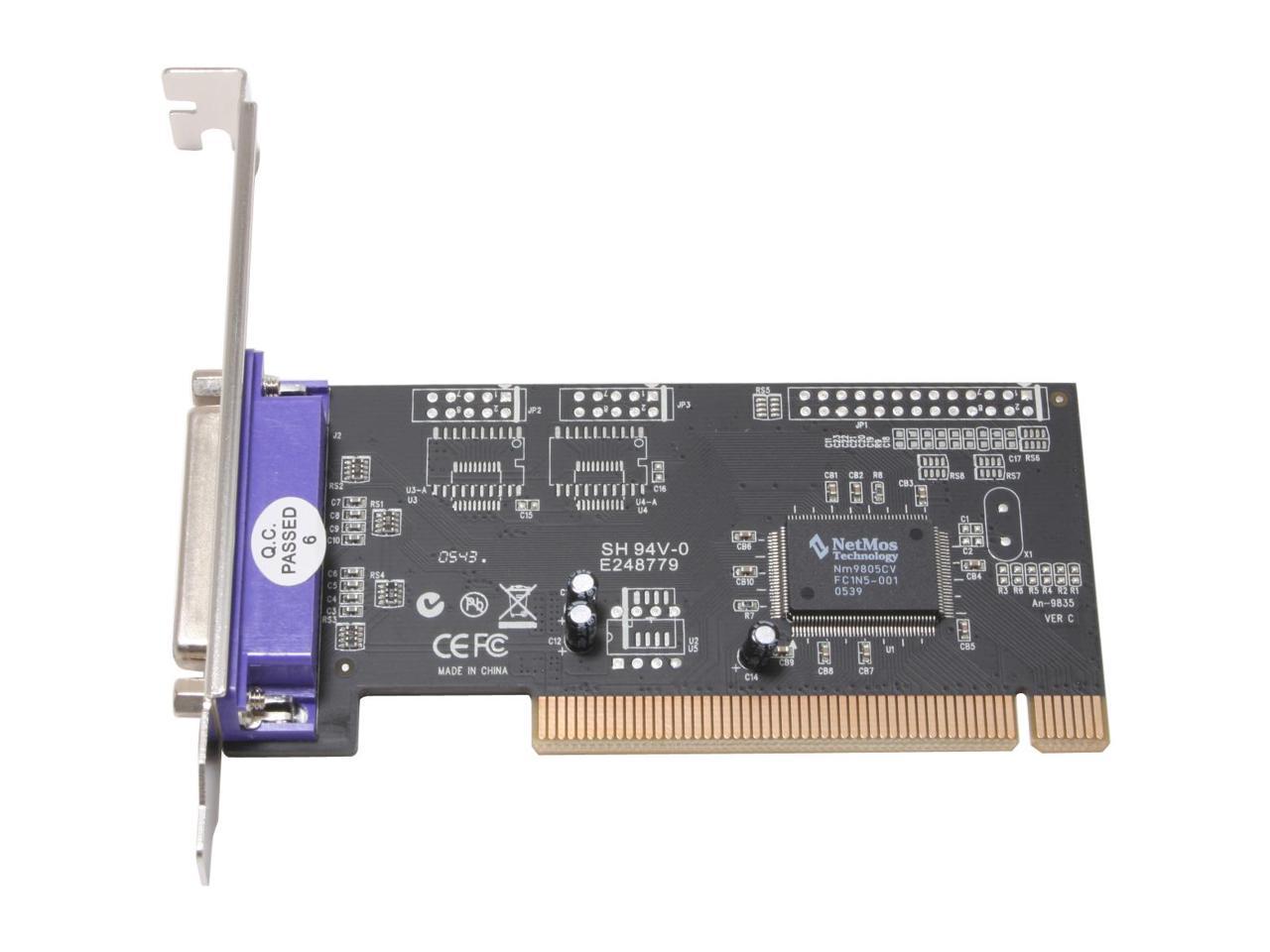
Some newer PCs don’t have the parallel port but have expansion slots for PCI add-on cards. These cards are quite cheap and, once installed, work just like the solution above. They will probably present themselves as a different port and memory address, but Mach3 can be configured with these settings. Ensure you get a 5 Volt version because some PCI slots and cards run at 3.3 volts, such as PCI Express (PCI-E), which may not be enough to drive the controller.
3 – USB to Parallel converters
If you want to use USB and still have a parallel controller card, this is probably the best option and is well-tried and tested with good support from the vendor.
These are specialised adapters known to work with Mach3, not to be confused with generic USB to parallel adapters. It needs driver software to work correctly with Mach3. These adapters connect to the CNC control board DB-25 port and the PC’s USB port. Then you’ll need to load the supplied driver in Mach3
This one from CNCDrive is very small, which fits into a shell case of the DB25 adapter and gets good reviews on the CNC forums. Be careful, there are quite a few clones of this much cheaper, but if you do some research, you’ll find they often don’t work. Support will be poor or non-existent.

Check their website here https://cncdrive.com/UC100.html
This board from Warp9 connects your CNC parallel controller and then to the USB port on the PC/Laptop
The USB SmoothStepper (USS) connects to your PC via USB, has 2 parallel ports and a third dedicated input port. The SmoothStepper's parallel ports allow it to integrate seamlessly with most external devices (CNC equipment and Break Out Boards) that require a Parallel Port interface, with only a ribbon cable to connect them together.

4.1 – USB Breakout Board (BOB)
This option allows you to run Mach3 on more modern hardware and is relatively cheap.

4.2 – USB controller board with onboard drivers
TB6600 and TB6560 controller boards. There are two types: the all-in-one board in 3 and 4 axes or as a breakout board and stepper drivers separately.

Planet-CNC board produce a range of boards. This is their 4-axis USB https://planet-cnc.com uses its software instead of Mach 3
Another option is this

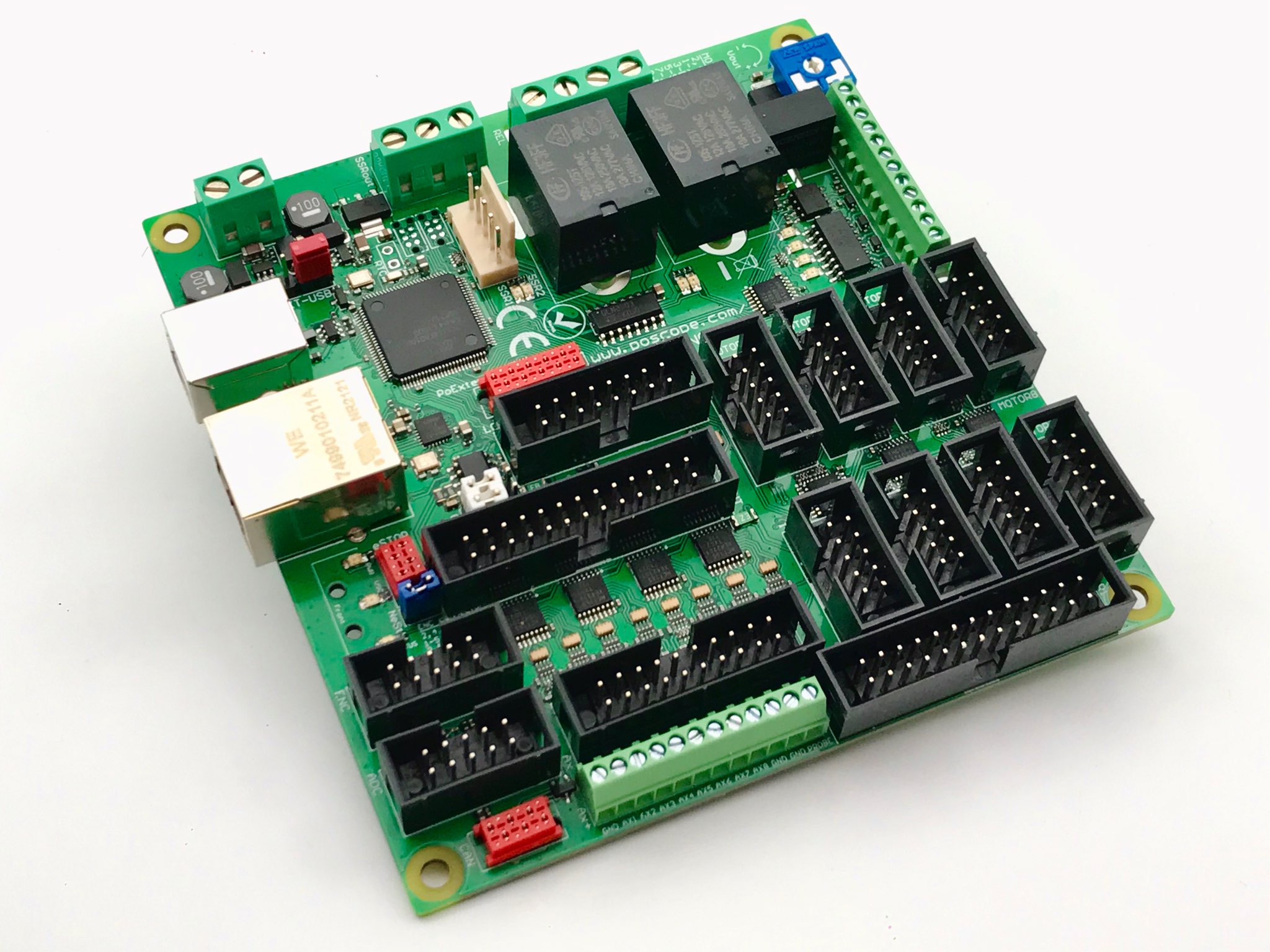
PoKeys57CNC has both an Ethernet and USB interface and supports both Mach3 and Mach4
5 – Ethernet Port Control Boards
These boards utilise the computer’s LAN port (RJ45 port) for connection. SmoothStepper from Warp9 is probably the best known. A little bit more involved to configure, but the documentation is good.
Another option is the CNCDrive UC400ETH, which has good reviews and connects to your parallel port board.

6 – Alternatives to Mach3
Use Mach4
Mach4 is the latest version and is supported on both 32-bit and 64-bit Windows operating systems, running on all versions of Windows from XP to Windows 10. You will need a motion controller card, such as a USB or Ethernet controller. Check with NewFangled Solutions, who are the developers, and list compatible boards and plugins.
Use LinuxCNC
LinuxCNC software is an alternative to Mach3, but it doesn’t support USB connections. You can use boards from https://www.mesanet.com/. It is a real-time operating system and doesn’t have the CPU timing and interrupt issues that Mach3 does. I’ve included it here because it is open source, and if your budget is limited, it’s a good option. Here’s my post on LinuxCNC
Here’s another post on using LinuxCNC for foam cutting, with a video tutorial, https://rckeith.co.uk/foam-wing-free-cnc-software/.

Arduino USB-based Micro Controllers
These have become very popular as most 3d printers use a version of these, and many add-ons can be purchased relatively cheaply. Shields are extension boards that plug into an Arduino Uno or Mega.
The two most popular are the CNC Shield and RAMPS, which provide 3 and 4-axis stepper drivers. GRBL or grblHAL is the software that drives the boards. The drivers can only supply at most 2 amps with cooling, so you are limited to NEMA 17 and some specific NEMA 23 stepper motors. There
I built a new Hot Wire CNC Foam Cutter using an Arduino Mega and a RAMPS1.4 kit with NEMA17 stepper motors. All the details are here, and it works well.
How I converted my Mach 3 CNC Router to USB
I’ve created a new post showing how I converted my OX CNC Router, which I ran with Mach3 and LinuxCNC. I now use the MKS Tinybee board with grblHAL. This is an ESP32-based controller with external drivers running SenderIO software. Full details and a video
Software
Once you go down the Arduino route then you’ll no longer be able to use Mach3. There are a few options, but one of the most popular is Universal G-code Sender (UGS). There is also software for Foam cutters. Check my latest release of the GRBL HotWire Mega 5X
| Option | Pro’s | Con’s |
|---|---|---|
| Use an old desktop PC with a parallel port | The cheapest option is if you already have a more recent desktop PC | Maybe harder to get as time marches on |
| Use a newer desktop PC with a parallel port add-on card | It can be more expensive unless you opt for a Chinese offering. Support for boards supplied from the USA and Europe may be better | No upgrade from Mach3, and it needs a separate supported motion controller |
| USB to Parallel Adapters | Electrically isolate your PC from your CNC equipment. | Watch out for UC100 clones that are much cheaper. Many users have reported issues. |
| USB controller boards | Works with modern PCs. | No upgrade from Mach3, and needs a separate supported motion controller |
| Ethernet Port Control Boards | It needs to be powered by an external supply. A bit more tricky to configure | It can be more expensive unless you opt for a Chinese offering. Support for boards supplied from the USA and Europe may be better |
| alternative – Mach4 | Works with PCs and laptops | No upgrade from Mach3, and it needs a separate supported motion controller |
| alternative – LinuxCNC | Free and can use Anything I/O cards | Cards can be tricky to set up |
| alternative – Arduino | Free and very affordable hardware | Controller software can lack some of Mach3’s additional capabilities. |
Conclusion
As you can see, there is a lot to consider, and your choice depends on how much you are willing to spend and what equipment you already have.
If you are looking to get into CNC, I would probably advise you now to use one of the USB-based controllers with the free control software. If you have and have an old parallel port desktop, then I would choose one of the kits with a parallel board.
One thing to remember is that Mach3 requires a license; otherwise, it just stops after 500 lines of G-code. If you can, then I would suggest Mach4 for long-term use and support. LinuxCNC is a good option. Here’s a link to my post on getting started with LinuxCNC using a router, Hot Wire CNC is here.
Arduino with GRBL is a good choice, and because it’s so popular, it has good support from the community. Controllers and stepper drivers are relatively inexpensive, and the free software makes this a good choice in my opinion.
I haven’t covered every possible solution here, but ones that I feel are within the reach of most hobbyists.
Happy g-coding

