What Controller Software can I use for CNC Foam Cutters?
In this article, I’ll discuss four software solutions that can be used for CNC Foam cutters, along with their pros and cons. With this information, you should be able to decide which one is best for you.
CNC Foam cutters are typically 4-axis machines, with each axis moving independently. So if we are creating a tapered wing, each axis has to follow a cutting path that is different from the other axis, but is synchronised. That means the hot wire must exit the wing profile at the same time, even if the root and tip are different sizes.

These are the 4 solutions:-
- Mach3
- LinuxCNC
- DevCNC Foam
- GRBL HotWire
Mach 3
This is popular for hobbyists and is very good. I started with Mach3 several years ago. You can run 500 lines of g-code for free, but after that, you need a license, which is $175. It’s possible to do some cut jobs in 500 lines, but I haven’t found many.

Mach3 CNC software is a popular control solution for hobbyists and small workshops. It was originally designed to run on Windows PCs using the parallel port, which was once the standard interface for printers and CNC controllers. While most modern computers no longer include a parallel port, there are still many compatible controller boards and adapters available.
If you have an older desktop PC with a built-in parallel port, Mach3 remains a cost-effective and reliable option. Although I no longer use Mach3 personally, it performed flawlessly for years. The key requirement for using the parallel port driver is running Windows XP 32-bit or Windows 7 32-bit.
My dedicated Mach3 PC isn’t connected to the internet, and I’ve disabled unnecessary background services for maximum stability. It runs without antivirus software or system updates, ensuring consistent CNC performance. I transfer g-code files to it using a USB thumb drive.
For newer computers without a parallel port, Mach3 can still be used with a USB motion controller or specialized USB adapter. These devices allow modern systems to communicate with your CNC machine without relying on legacy ports.
I’ve published a detailed post on my website showing several recommended adapters and controller boards for running Mach3 CNC software on newer PCs.
I have a post on my website showing several options for Mach3
LinuxCNC: A Free, Open-Source Alternative
LinuxCNC is a free, open-source CNC control software that is still actively developed and widely used. It offers a wide range of configuration options, including dedicated profiles for foam cutting, which provide a more accurate and intuitive display. I’ve used LinuxCNC extensively to cut foam wings with excellent results.
The main drawback of LinuxCNC is its lack of native USB support. This means you’re limited to using either a traditional parallel port or specialised Mesa interface cards. While Mesa cards offer excellent performance and real-time control, they can be more expensive and somewhat trickier to set up compared to plug-and-play USB solutions.
On my website, I have videos and step-by-step guides showing how to install, configure, and run LinuxCNC for various CNC applications. These resources cover everything from basic setup to advanced workflows, including foam cutting. https://rckeith.co.uk/foam-wing-free-cnc-software/
4 Axis Hardware for Mach3 and LinuxCNC
Mach3 and LinuxCNC will require a controller card with drivers for the stepper motors. For Mach3 you can find Parallel port and USB versions. I have an article Mach3 post that takes you through the options. LinuxCNC will not work with USB, so you can use the Parallel port on older computers or specialised adapters made by Mesa. These are a little pricey and can be tricky to configure.
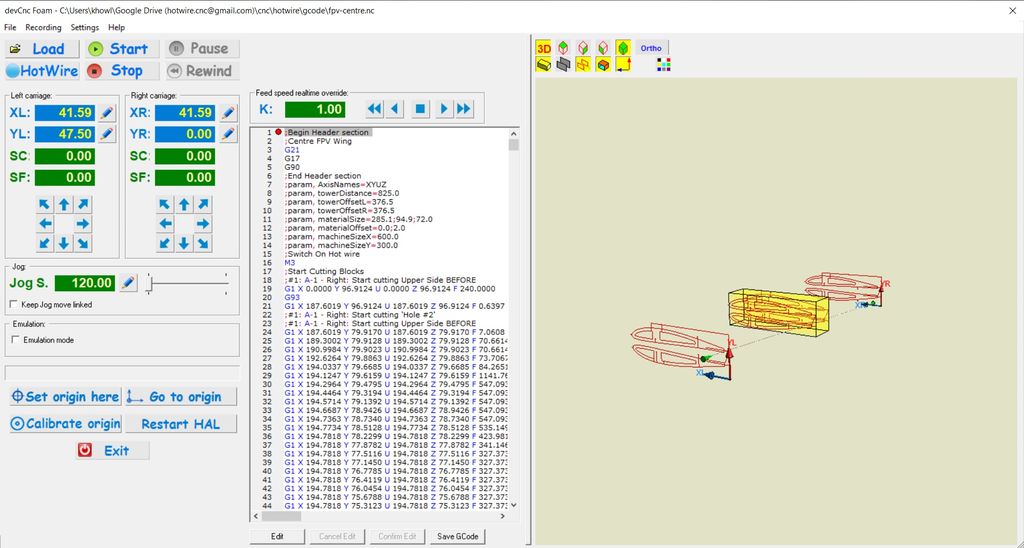
DevCNC Foam
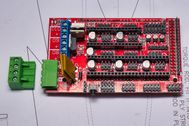
DevCNC Foam is one of the newer offerings and works really well on a variety of controller boards. I sometimes use it on an Arduino Mega with a RAMPS 1.4 board. It’s not free and costs €60, but you have support.
You can download it and run up to 400mm of G-code total movement to check that your hardware works OK. It even uploads the correct firmware for you, so you don’t need to use the Arduino IDE or a loader to install the firmware.
The one big advantage of DevCNC foam is that it’s specifically designed for foam cutting. Whereas the previous Mach3 and LinuxCNC are general-purpose.
GRBL HotWire
This Arduino-based 4-axis GRBL controller is a fork of GRBL originally for 3 axes, which I’ve just recently released an updated version of.
Check out my posting on installing and configuring the new software and firmware
My video series on YouTube shows how to build a USB Foam Cutter using this software.

So which one would I recommend?
All of them, they work well. The one you choose really depends on how much you can afford, skill level and intended use.
CNC can be very addictive, and if you want to do some CNC routing as well, then Mach3 and LinuxCNC are good choices. If you are on a budget and have an old desktop kicking around, LinuxCNC is a great choice with a parallel port controller.
Configuring Mach3 and LinuxCNC can take a bit more effort, but is well documented. I have several articles on the website for both.
If you want almost plug-and-play option, then DevCNC Foam is probably your best option. Just connect it to one of the supported boards, and it will upload the correct firmware. Just some calibration of the steps/mm and you’re up and running.
GRBL HotWire is the cheapest option for USB and supports 8 and 32-bit micro-controllers. I have it fully documented on the website with a video series explaining how to get it working.
What is G93
G93 is a feed mode recommended by DevCad for DevWing Foam and DevFus Foam. For straight wings, it doesn’t matter too much. But for a swept wing or one with a root and tip that are different sizes it’s the best option to use.
It gets a bit techie but the simplest definition I found is this.
G93 stands for Inverse Time Feed Mode. The F code value, when DIVIDED INTO 60, is the number of seconds that the motion should take to complete.
| Software | Cost | Limit Switches | G93 | Pros | Cons |
|---|---|---|---|---|---|
| Mach3 | $175 | Yes | Yes | Designed for 4-axis foam cutting Support several controllers boards Very easy to install | Needs extra hardware for USB. Not being developed anymore. |
| LinuxCNC | $0 | Yes | Yes | General-purpose and still being developed | No USB Parallel Port or Mesa Card |
| DevCNC Foam | €60 | Yes | Yes | It can only be used for foam cutting. Can use the Arduino Mega 2560, MKS Gen L and 32-bit GrblHAL boards | Can only be used for foam cutting |
| 4 Axis GRBL | $0 | Yes | Yes | Cheapest USB option | Can only be used for foam cutting. Can use the Arduino Mega 2560, MKS Gen L and 32-bit GrblHAL boards |
Conclusion
Hopefully, this post will help you decide the best option for you. I. When you decide to build a CNC foam cutter we tend to concentrate on the hardware. This can lead to some disappointment.
I’ve had guys contact me who have built fantastic-looking machines with expensive hardware, but then want to use the free g-code generation software to make the design. The free g-code generation software is fine for simple wings, but as your skills improve and you want to do more, that’s where the free software can disappoint.
Software is where you’ll spend the bulk of your time. So I would suggest you think about the type of projects you want to make, and then match that to the software and then the hardware. By all means, start with the free software just to get you started but factor the cost of DevWing Foam and DevFus Foam if you want to make fuselages as well into your budget. Check out my article about G-Code generation software
CNC foam cutting doesn’t need to be as precise as a CNC routing/milling machine, so you don’t need to spend a fortune on super-accurate hardware. I have printed out drawing profiles of wings and fuselage sections, and then placed the foam cut parts on the drawing and to the naked eye, they line up perfectly.
If you have any questions, feel free to contact me and I will do my best to answer them.
Happy foam cutting