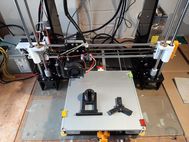
Creality K1 3d Printer: Three Times Faster At Printing Thin Wall

K1 advantages
One of the Creality K1’s biggest selling points is speed. Thanks to its CoreXY motion system and Klipper firmware, it can churn out thin-wall RC aircraft parts up to three times faster than my previous printer. As someone who doesn’t like leaving prints running overnight, that’s a game-changer. The built-in camera also lets me monitor prints easily without extra hardware.
Initial Set Up
Out of the box, the K1 was well-packaged and simple to assemble. The included USB drive has a clear setup video, and the touchscreen wizard walks you through every step. I had it powered up and printing parts within 20 minutes, most of that spent on self-calibration and testing.
The printer’s built-in accelerometer measures vibrations during setup so the firmware knows how fast it can safely run without degrading quality. The first time you see it printing at full speed, it’s genuinely impressive. My first test print — the preloaded cat model — came out beautifully (see my video in this post).
Real-World Test: RC Plane Parts
I recently finished printing a 3D-printed plane called the V-Turn from PlanePrint on my Creality Ender-5 S1, which gave me a perfect baseline for comparison. Using the K1, I kept the speed at 300 mm/s with PlanePrint’s recommended settings — honestly expecting it to fail on thin walls.
Creality also supplied a roll of HyperPLA (a high-flow filament designed for faster printing), which I used first. The results were outstanding: thin-wall sections printed cleanly at full speed, something my Ender-5 S1 couldn’t match.

I installed the Creality Print 4.3 slicer on my computer and then copied the normal profile so I could add the settings recommended by Plane Print. I left the speed at 300mm/s, quite expecting it to fail on these thin-wall prints. Well, on the test wing from PlanePrint, it didn’t, and the print looked awesome.

Then, I tried Left Wing 1, and it completed in 1 hour and 32 minutes on the Creality K1. On my Creality Ender 5 S1, it took 4hrs 23 min at 60mm/s. I did try increasing the speed on the Ender 5 S1, but it failed a few times, so I went back to 60mm/s. I have printed up to 120 mm/s on the Ender 5 S1 on other 3D-printed planes like my Grom.

| Feature / Test | Creality K1 | Ender-5 S1 |
|---|---|---|
| Motion System | Core-XY + Klipper firmware | Cartesian |
| Max Print Speed (test) | 300 mm/s (PlanePrint settings) | 60 mm/s (PlanePrint settings) |
| Test Model | RC Plane V-Turn wing section | RC Plane V-Turn wing section |
| Print Time | 1 h 32 min | 4 h 23 min |
| Filament Used | HyperPLA (high-flow PLA) | PLA+ |
| Thin-Wall Quality | Clean, no failed prints | Prone to defects at higher speed |
| Filament Compatibility | Wide range (HyperPLA, PLA+, LW-PLA planned) | More limited |
| Setup | Fully enclosed, self-calibrating accelerometer | Manual tuning required |
| Ideal For | Fast, reliable thin-wall parts (RC planes) | Standard prints at moderate speeds |
Filament Compatibility
My next project will be to test LW-PLA, which is much lighter than PLA+ or HyperPLA and ideal for RC aircraft. So far, HyperPLA has impressed me enough that I’m already planning to order more colours. While cheaper 3D printers are getting better, they’re usually slower and support a much narrower range of filaments.
Bottom Line
If you need a 3D printer that’s fast, reliable, and capable of clean thin-wall prints, the Creality K1 delivers. It won’t be the cheapest option, but for RC plane builders or anyone printing lightweight parts, the time saved is substantial — and the quality is excellent.
Below is the video I made about the Creality K1, which may be of interest to you. Happy 3d printing.